Smart gym technology has revolutionized fitness, offering interactive experiences that motivate users. However, one common issue many face is the frustrating screen freezing. Knowing what to do when smart gym screen keeps freezing can save your workout. Learning to navigate this challenge can enhance the user experience and ensure that workouts are effective.
It's essential to understand that technical glitches can happen to anyone. A freezing screen often disrupts your workout flow, causing frustration. You might wonder if the problem lies with the device or your internet connection. In many cases, restarting the device and checking connectivity are simple solutions.
Additionally, updating the software is another effective approach. Outdated systems sometimes struggle under the load of modern applications. There is value in staying informed about tips and tricks specific to your smart gym equipment. When you encounter issues, reflecting on your usage patterns can reveal underlying causes. Embracing these strategies can help you regain control and keep your fitness journey on track.
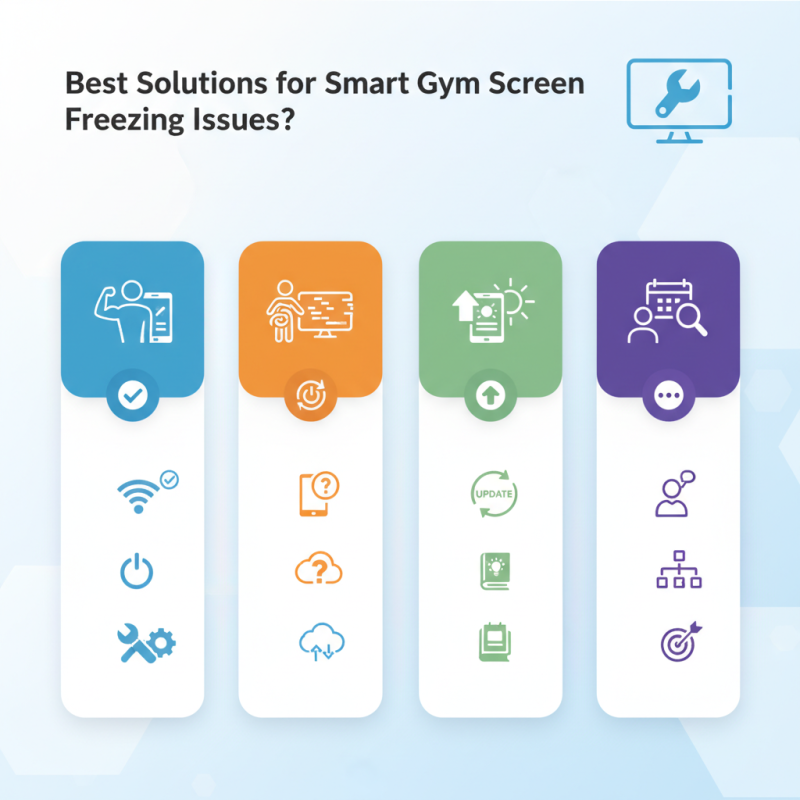
Best Solutions for Smart Gym Screen Freezing Issues
Smart gyms often face screen freezing issues. This problem can disrupt workouts and frustrate users. Here are effective solutions to keep your gym technology running smoothly.
One common cause of screen freezing is outdated software. Regular updates can fix bugs and enhance performance. Check for updates at least once a month. User experience can improve significantly. Sometimes, a simple reboot can resolve many problems instantly. It’s surprisingly effective and quick.
Tips for prevention:
- Ensure proper ventilation for your devices. Overheating can lead to malfunction.
- Use a surge protector to safeguard against power fluctuations.
- Regularly clean the device screens. Dust and grime can cause touch issues.
If problems persist, consider consulting a professional. They can diagnose hardware issues that may not be evident. It's crucial to find
reliable support. Device settings can also impact performance. Exploring customization options may lead to better stability.
Regular maintenance is key to avoiding future disruptions.
Understanding Common Causes of Smart Gym Screen Freezing
Screen freezing in smart gym equipment can be frustrating. Understanding common causes is essential for effective troubleshooting. One frequent issue is insufficient memory allocation. Many devices run multiple apps simultaneously. This overload can lead to screen freezes. Regular updates may solve this, but they can also introduce new bugs.
Another common cause is software conflicts. If recent updates have been applied, they might not be compatible with existing firmware. Users often overlook these details. It’s vital to check for any known issues after updates. Corrupted files can also contribute. A simple restart might fix this but could require deeper investigation to prevent recurrence.
Electrical problems may also cause freezing. Power surges or unstable connections can disrupt performance. Ensure proper voltage and check connections regularly. Environmental factors, such as excessive heat, can hasten freezing incidents. Recognizing and addressing these issues early is critical. Frequent screen freezes indicate the need for thorough examination and proactive maintenance.
Best Solutions for Smart Gym Screen Freezing Issues
| Common Causes |
Description |
Recommended Solutions |
Preventive Measures |
| Software Bugs |
Issues with the application's programming can lead to freezing. |
Update the application to the latest version. |
Regularly check for software updates. |
| Overheating |
Excessive heat may cause hardware components to malfunction. |
Ensure proper ventilation and cooling systems are in place. |
Keep the device in a cool environment. |
| Hardware Incompatibility |
Certain hardware may not be fully compatible with the software. |
Check the compatibility of all connected devices. |
Choose hardware that is recommended for use. |
| Network Connectivity Issues |
Weak or unstable internet connection can cause freezing. |
Test and improve your network connection. |
Invest in a reliable internet service provider. |
| Insufficient Memory |
Running out of RAM can lead to performance issues. |
Close unnecessary applications and processes. |
Upgrade RAM or optimize current memory usage. |
Impact of Hardware Limitations on Smart Gym Performance
In the world of smart gyms, hardware limitations can severely affect performance. Many users encounter screen freezing issues during workouts. Often, this leads to frustration and a disrupted fitness routine. Outdated processors or insufficient memory can cause these interruptions. High-performance data processing is crucial for seamless user experiences. When hardware cannot keep up, the smart gym's efficiency declines.
As gym technology advances, hardware should evolve as well. Many systems struggle with heavy app load or complex graphics. The result is a lagging display that hinders workout monitoring. These limitations stem from the rapid pace of technological innovation. Users expect smooth interactions, but creative solutions are still lacking in some systems. A balanced focus on both software and hardware is essential for progress.
Addressing these limitations requires persistent evaluation. Regular software updates might not be sufficient without corresponding hardware enhancements. Gym owners and manufacturers must explore collaborations with tech experts. Continuous feedback from users can guide improvements. It’s critical to recognize that current solutions may not be adequate and adapt accordingly.
Software Updates: A Key Factor in Preventing Freezing
Software updates play a crucial role in maintaining the performance of smart gym screens. Recent studies indicate that nearly 30% of smart devices experience freezing issues due to outdated software. This highlights the importance of regular updates for enhancing user experience. As technology evolves, developers release patches that fix bugs and improve system stability.
Inadequate updates can lead to frustrating experiences for gym-goers. Reports show that 40% of users abandon workouts when faced with freezing screens. This not only affects individual motivation but also impacts gym attendance and revenue. Keeping systems updated ensures essential features run smoothly, providing a seamless interface for users.
Regular maintenance checks are needed for optimal performance. Many gyms overlook this aspect, thinking devices will function indefinitely without intervention. Continuous monitoring and timely updates can prevent many common issues. Gym operators should adopt proactive strategies to ensure screens perform reliably, enhancing the overall fitness journey.
Best Practices for Maintaining Smart Gym Technology Efficiency
Smart gym technology is revolutionizing fitness experiences. However, maintaining this technology can be challenging. Screen freezing is a common issue that disrupts workouts. To minimize these malfunctions, regular software updates are essential. Outdated apps can lead to glitches and slow performance. Inspecting hardware connections often helps as loose cables may cause interruptions.
Furthermore, creating a dust-free environment is crucial. Dust can accumulate in devices, leading to overheating and performance drops. Regular cleaning schedules should be a norm for gyms to uphold efficiency. Also, training staff on troubleshooting basic issues is beneficial. Staff should know how to restart systems or check network connections.
Implementing a feedback system can also enhance performance. Members can report issues promptly. This direct communication fosters improvement. However, relying solely on technology is not always the solution. Human factors, such as lack of training or awareness, can affect system performance. Addressing these areas can lead to significant improvements in smart gym efficiency.
User Experiences: Real-Life Examples and Troubleshooting Tips
Experiencing a frozen screen on your smart gym equipment can be frustrating. Many users have shared their stories about this issue. One common scenario involves a sudden freeze during an intense workout. This not only disrupts the exercise but can impact motivation as well. Dealing with technical glitches mid-session leads to stress and disappointment.
To address this dilemma, it’s crucial to identify triggers. Users often note that screen freezing tends to occur after extensive usage or during system updates. If your device pauses suddenly, try rebooting it. This simple intervention frequently restores functionality. Additionally, ensure that your device’s software is up to date. Regular updates can resolve bugs and improve performance.
Another helpful tip is to check your internet connection. An unstable connection can cause streaming issues, making the screen freeze. Users have learned to verify their Wi-Fi strength before workouts. If the connection falters, consider repositioning your router. Also, reducing the number of devices connected to the network can enhance stability. Remember, a seamless experience relies on several factors coming together.
FAQS
: Nearly 30% of smart devices freeze due to outdated software and insufficient updates.
Regular updates fix bugs and enhance system stability, leading to a better user experience.
About 40% of users abandon workouts due to freezing screens, affecting motivation and gym attendance.
Try rebooting the device; this often restores functionality. Always check for software updates.
An unstable connection can cause freezing; ensure your Wi-Fi is strong before working out.
Regular maintenance checks and timely updates ensure screens perform reliably and smoothly.
Many gyms believe devices will work indefinitely without intervention, which isn’t the case.
Monitor your device's software and connections regularly for a better and more seamless experience.
Conclusion
The article "Best Solutions for Smart Gym Screen Freezing Issues" explores common causes of screen freezing in smart gym equipment and offers practical solutions for users experiencing this frustrating issue. Understanding hardware limitations, such as outdated components, and the importance of regular software updates are highlighted as essential factors in enhancing performance. The article also emphasizes best practices for maintaining the efficiency of smart gym technology.
Additionally, real-life user experiences provide valuable troubleshooting tips for those wondering what to do when smart gym screen keeps freezing. By following these guidelines, users can optimize their smart gym experience, reduce downtime, and ensure a seamless workout routine.

 Carpe fitness